If you are facing flashing errors on Motorola G54 5G after FRP unlock and your Rescue Tool is not working, you are not alone. Many technicians and users have reported that even after successfully removing FRP lock, the device fails to flash properly using the official Rescue Tool. In this detailed guide, we will provide the 100% working solution, along with the tested flash file that has been verified by our team at GsmAmit.Com. This step-by-step method ensures you can restore your device without bricking it.
📱 Device Info:
- Model: Moto G54 5G
- Code Name: cancuf
- Model Number: XT2343
- Android Version: Android 15
- Security Patch: Latest 2025 Update
- File Status: 100% Tested & Working
🔐 What is FRP Lock?
FRP (Factory Reset Protection) is a Google security feature available on Android 5.1 and above. It protects your device from unauthorized access after a factory reset. Once FRP is activated, it prevents the use of the device unless the previous Google credentials are entered.
⚙️ How to Remove FRP Lock on Moto G54 5G (cancuf) Android 15
🧰 Required Files & Tools:
- Moto G54 5G FRP Remove File (Download below)
- SP Flash Tool or Fastboot Method
- USB Drivers (Motorola)
- A Windows PC/Laptop
- Original USB Cable
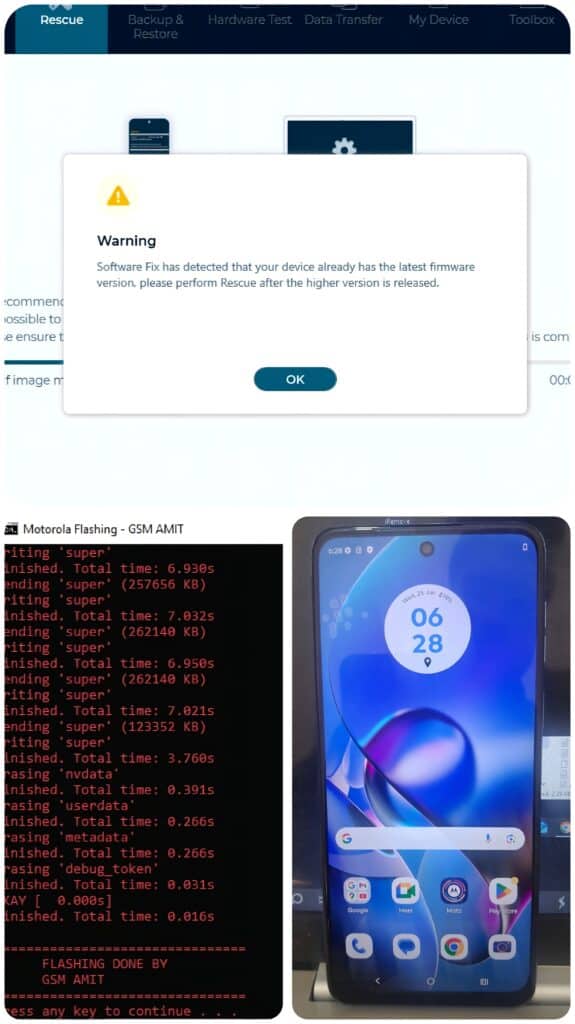
📥 Download Moto G54 5G (cancuf) XT2343 Android 15 After FRP Remove Rescue Tool Flashing Error Fix 100% Working
TeamViewer Services: WhatsApp Number: Gsm Amit +917004701944
Subscribe You Channel. More Updates: Click Here
TESTED 100% 2025
Note: Flashing At Your Own Risk. I am Not Responsible For any Damage.
| File Name | Download Link |
| MOTO_G54_&G64_RESCUE_TOOL_FLASHING_ALL_ERROR_FIX_BY(Www.GsmAmit.Com) | Download Now |
| MOTO G54 Short FRP FILE 100% Tested By_(Www.GsmAmit.Com).rar | Download Now |
| Moto G54 5G (cancuf) XT2343 Android-15 Latest April 2025 Frp Remove 100% Tested_Www.GsmAmit.Com | Download Now |
| Minimal ADB and Fastboot Tool | Download Tool |
(Note: Make sure to extract all files before use.)
🛠 Step-by-Step FRP Removal Process
Method 1: Using SP Flash Tool
- Install Motorola USB Drivers on your PC.
- Download and extract the FRP File + SP Flash Tool on your computer.
- Open the SP Flash Tool and load the BlankFlash.xml file from the extracted FRP folder.
- Choose “Authentication File V5.” Don’t Forget Upgrade Mode Flash.
- Click Start and connect your phone to a power-off state by not pressing any key, only USB Connect.
- Flash completes in a few seconds – FRP will be removed successfully.
Method 2: Using Fastboot Commands (if supported)
Moto G54 5G (cancuf) XT2343 Android 15 FRP Remove File
- Boot your device into Fastboot Mode.
- Connect to PC via USB.
- Run fastboot command: bashCopyEdit
fastboot erase frp fastboot reboot - Done! Your device is now FRP unlocked.
⚠️ Important Notes:
- This method will erase only FRP – it will not affect your personal data.
- The battery must be charged above 50%.
- Use only tested files to avoid a soft brick or boot loop.
- Boot Loop Issues: Use the Software Fix Tool, Fastboot Flash it.
READ ALSO:
- MOTO G45 FOGOS_G XT2363-8 FRP FILE
- Vivo Y1s Pattern Unlock New Sec Patch Update 2023
- Vivo Y12 / Y15 New Sec Patch Update 2023 Screen Lock & Frp Remove File 100% Tested

File download nahin Ho Rahi Hai sar ji
Kyu